
Managing finances correctly, both on a personal and corporate level, is an activity that requires precision, method and continuity. One of the simplest but at the same time fundamental tools in the accounting area is undoubtedly thePrimanota Excel. It is a flexible, accessible and powerful solution that allows professionals, entrepreneurs and even students to manage with entrances, exits and financial movements.
UseExcel for the PrimanotaIt offers numerous advantages compared to the most complex and often expensive software. It is the ideal tool for those who wantkeep track of daily operations, check the exits and optimize the management of the cash flow. In this in -depth guide, we will see in detailWhat is the Primanota,How to create it and use it with Excel,What are the practical suggestions to followiswhat mistakes to avoidTo obtain a professional result, even without being an accounting experts.
Summary
- 1 What is the Primanota and because it is fundamental in accounting management
- 2 Why use Excel for the Primanota: advantages, flexibility and customization
- 3 How to create a primrota excel step by step
- 4 Practical suggestions for an effective and professional Primanota Excel
- 5 Common errors to avoid in the management of the Primanota with Excel
What is the Primanota and because it is fundamental in accounting management
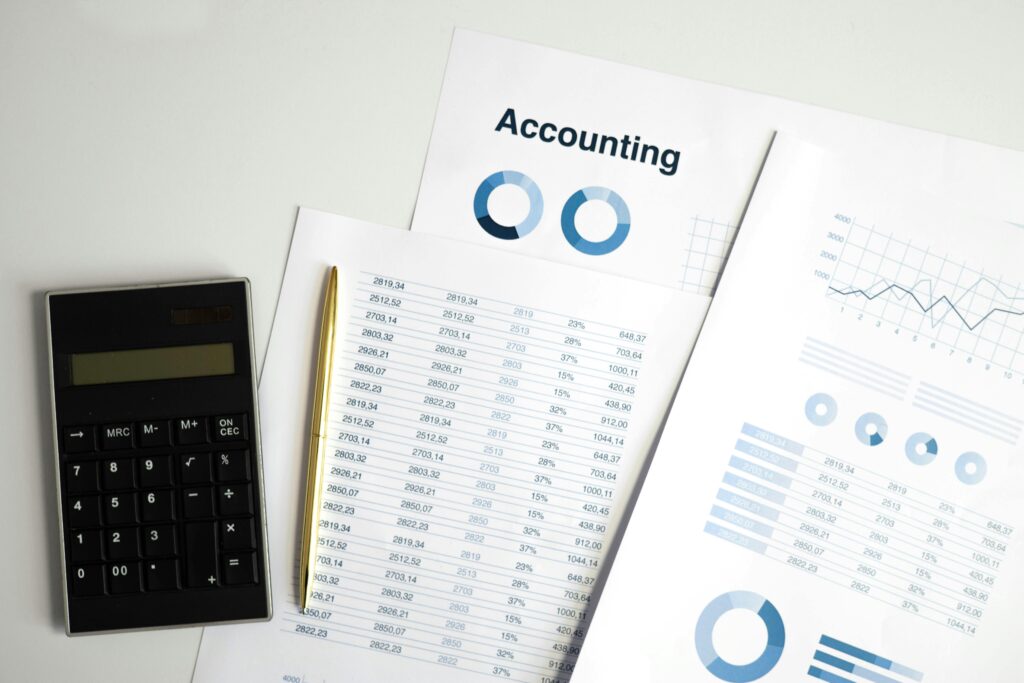
ThereprimanotaIt is the most basic but also the most essential accounting register. It consists of a document where all the financial operations relating to revenue and exits are noted in chronological order. This is not a budget, but a data collection tool useful for management and operational control.
It is called "before" notes precisely because it represents thefirst point of recordingtransactions before they are processed in official or more articulated budgets. Each economic movement, even the simplest as a cash payment or the purchase of materials, is reported here.
TherePrimanota ExcelHe performs exactly this function, but with the advantage of being digital, modifiable and completely customizable. Those who use it have direct control of all financial movements, can filter the data, create summary and generate reports in real time. It is a practice used both by micro -enterprises and freelancers, but also by students who want to learn the basic principles of accounting.
In the corporate context, the Primanota is also an important tool for traceability. In fact, it allows you to demonstrate all economic movements in case of tax controls, audits or internal analysis. In the family or personal field, however, it helps to manage your monthly budget and plan expenses and savings with greater awareness.
Why use Excel for the Primanota: advantages, flexibility and customization
Excel si presta perfettamente alla creazione di una primanota perché unisce semplicità d’uso e potenza di calcolo. A differenza dei software contabili professionali, non impone una struttura rigida, ma può essere tailor -made to measureBased on the specific needs of the user, whether it is a freelance or a small company.
One of the main advantages of the use ofExcel for the Primanotais the possibility ofautomate calculations. Thanks to the formulas, subtali, progressive balances, differences between revenue and outputs, categorizations and final budgets can be managed. In addition, separate sheets can be created by month, quarter or type of expenditure, maintaining order and clarity.
Excel is also a widely widespread tool. This means that it is not necessary to buy additional software or make training on complex tools. It is enough to know the basic principles to start using aPrimanota Excel effectively. With the addition of advanced features such as ifilters, pivot tables and graphs, you can transform a simple sheet into a real financial control dashboard.
Another strong point is the integration with other tools. Excel can be synchronized with database, cloud platforms or even ERP systems. It is compatible with Google Sheets for sharing and collaborative work in real time. This makes thePrimanota ExcelAn ideal solution also for teams or consultants who work with multiple customers simultaneously.
How to create a primrota excel step by step
To create aPrimanota in Excel, the first step is to define the basic structure of the sheet. The essential elements are few but they must be well organized. Generally we start with columns representing thedate, thereDescription of the operation, thereCategory (entry or output), L 'amount, TheUpdated balanceAnd, optionally, other columns such as the payment method or the receipt number.
The date must always be formatted correctly, to maintain chronological order and facilitate any filters or research. The description of the operation is important to understand the context of each movement: for example "electricity invoice payment" or "Customer bank transfer".
In the column of the amount, it is useful to distinguish between positive (revenue) and negative values (outputs), or use two separate columns for clarity. Theprogressive balanceIt can be automatically calculated thanks to the function SUM. For example, each new line can add or subtract the amount compared to the previous balance, dynamically updating the situation.
To keep thePrimanota Excel ordered and legible, it is good practice to apply conditional formats. The cells can be colored according to the type of transaction, highlight the amounts higher than a certain threshold or report any anomalies. All this contributes to a more immediate visual control.
As the sheet grows, it is fundamentalProtect cells with formulas, to avoid accidental changes. In addition, it is possible to use the data validation function to avoid errors in typing categories or formats.
Finally, it is advisablesave and backup regular backupsof the file, even better if synchronized on cloud platforms such as OneDrive or Google Drive. This ensures access from any device and guarantees a safe copy in case of technical problems.
Practical suggestions for an effective and professional Primanota Excel
A first fundamental suggestion is that ofupdate the Primanota every day. Even few unregistered movements can compromise the accuracy of the balance. A daily update routine avoids errors and delays and allows constant and precise control.
It is very useful to insert a column dedicated toCategory of the operation, such as "general expenses", "suppliers", "customers", "salaries". This allows you to later create detailed reports that help to understand where most of the expenses are concentrated or from which sources the revenues come.
Thereperiodic reconciliationWith the bank account extract it is another important step. Regulating the Primanota regularly with the official movements of the bank allows you to identify errors, double recordings or unauthorized expenses.
Many advanced users advise youCreate dynamic formulasTo calculate the balance in real time, or to use logical functions as if to distinguish between revenue and exits. A concrete example is the function = if (C2 = "entry"; B2; -B2), which allows you to automate the introduction of data.
To make thePrimanota Excel even more professional, you can add a monthly or annual summary sheet. This helps to view totals by category, the final balance and the trend of cash flows over time. The graphs, even if not indispensable, offer a more intuitive vision of finance trend.
Those who have more advanced skills can also integrate thePrimanota with Macro VBA, to automate repetitive operations, generate reports in a click or send automatic notifications via email. For those who prefer ready solutions, there are also professional template of Primanota Excel downloadable for free, such as those provided byMicrosoft Office Templatesor from the community ofVertex42.
Common errors to avoid in the management of the Primanota with Excel
One of the most common mistakes is not to maintain aprecise chronological order. When the operations are inserted late or out of sequence, the balance can be incorrect and difficult to correct. It is therefore essential to always update in real time.
Another mistake is that ofDo not use automatic formulas, relying on manual calculations. This exposes risks of error and increases the time necessary for each update. Even the missing or non -consistent formats can create visual confusion, making it difficult to read and interpret the data.
Many users forget to doregular backups, putting all the work done at risk. A system crash or accidental overwriting can make you lose important data. For this reason it is always recommended to activate automatic rescue or use cloud systems.
Another critical aspect is thelack of a legend or internal guideto the file. Those who manage the sheet must be able to explain to third parties the logic used, the categories inserted and the meaning of the formulas. This is particularly important if the document is shared with colleagues or customers.
Finally, you have to avoidaccumulate too many data in one sheetWithout structuring it adequately. When the Primanota exceeds 500 lines, it is time to evaluate a subdivision by year or month, or implement advanced research features to avoid slowdowns or management errors.
TherePrimanota ExcelIt represents a powerful, accessible and highly customizable tool for anyone who wants to manage their finances in order and precision. Whether you are a freelancer, a student, an entrepreneur or simply a person attentive to the family budget, Excel offers you all the features necessary to keep track of the daily operations.
With a clear structure, constant updates and the intelligent use of the functionality offered by the software, it is possible to transform a simple electronic sheet into a true professional financial control tool. Avoiding the most common errors and following the good practices indicated will save you time, increase efficiency and have a clear and complete vision of your economic situation at any time.